

Resolution Steps
Try these steps in order before emailing MERIT Support. After each step, check whether all tabs have returned. Skip the remaining steps if all tabs have returned.
- Close extra EXCELSIOR pages.
- If EXCELSIOR is open in multiple tabs or browser windows, close all but one.
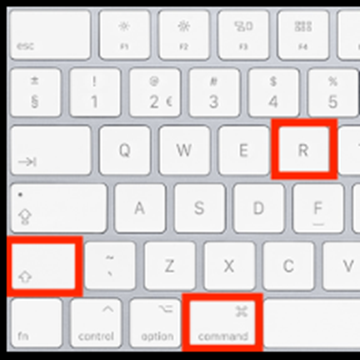
- Hard refresh the page. On the remaining EXCELSIOR page, press Ctrl + Shift + R.
- Log out and back in. Log out of EXCELSIOR, then log in again.
- Clear cache and cookies.
- Restart your browser. Close the browser completely, reopen it, and log in to EXCELSIOR OR try opening on a different browser.
- Restart your computer. Restart, then log in to EXCELSIOR.
If the Issue Persists
If none of the steps above restore the tabs, email support@meritcro.com and include:
- A description of the steps you have already tried.
- A screen capture of the entire browser window, including the URL bar.